How to Budget Biweekly Paychecks with the Biweekly Paycheck Bill Planner
Understanding the Problem with Biweekly Budgeting
Budgeting with biweekly paychecks is challenging because your income arrives on a repeating schedule while your bills follow fixed calendar dates. For example, you may be paid every other Friday, but your bills are due on the first, tenth or fifteenth of the month. When these due dates are not spread evenly, some pay periods become overloaded with expenses.
Many people experience what feels like a front loaded month where most bills fall before the second paycheck arrives. If a single paycheck cannot cover those expenses, you must set aside money from the previous paycheck. This is where the confusion usually starts. Paycheck amounts stay consistent, but expenses shift depending on how weekends, holidays and calendar rotations align.
The biweekly paycheck budgeting method works best when you assign each bill to the paycheck that will be used to pay it. This is exactly what the planner helps you do.
The Solution Provided by the Planner
The Biweekly Paycheck Bill Planner works as a biweekly budget calculator that shows which bills belong to each two week period. Instead of trying to build a fixed formula that changes from month to month, this method adjusts naturally as your paydays move across the calendar. The tool creates a rolling schedule so you always know:
- which bills fall inside each pay period
- how much each paycheck needs to cover
- how much money should be set aside
- how much true leftover income you have
This practical system removes guesswork and creates a simple, repeatable plan.
Try the Biweekly Paycheck Bill Planner
Examples
Below I will outline a few use cases for this tool, but you may be able to find a different use for it with a bit of creativity:
Basic Biweekly Budget
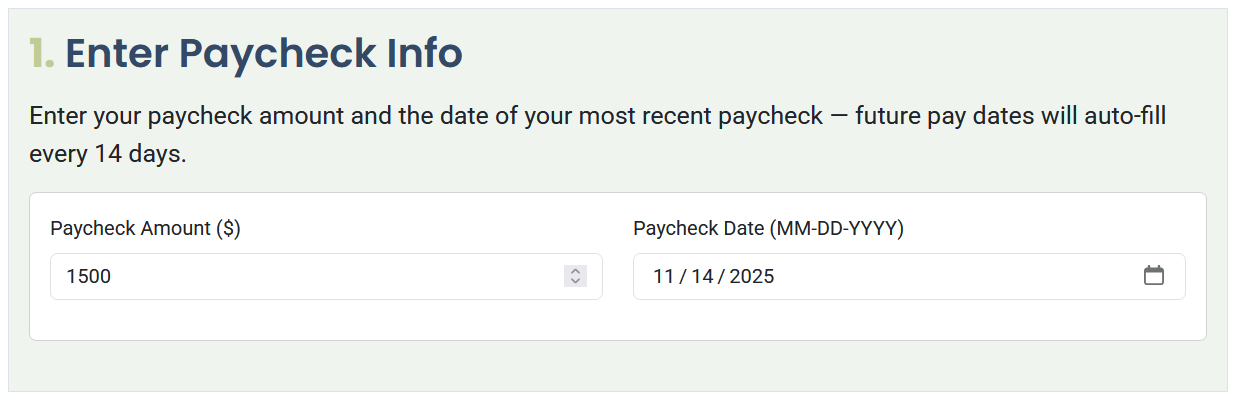
To begin, enter your paycheck amount and your most recent payday. The planner assumes each paycheck arrives fourteen days after the previous one. In this example, the paycheck amount is $1500.
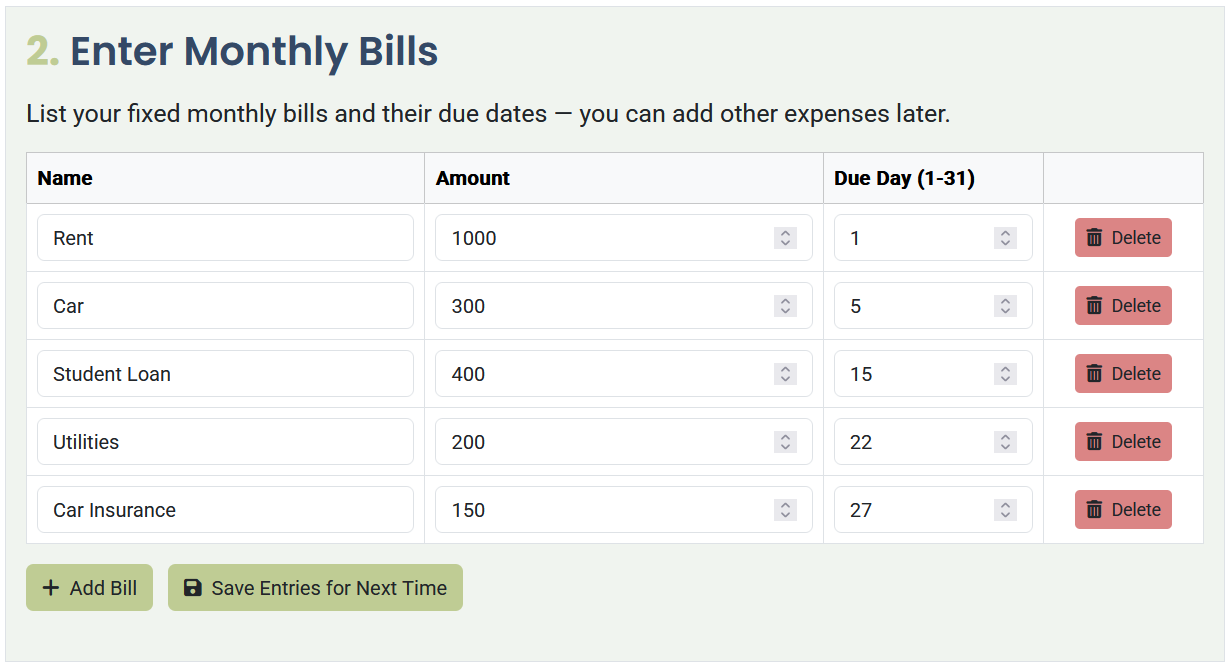
Next, enter your bills and their fixed due dates. This lets the tool calculate which pay period each bill belongs to.
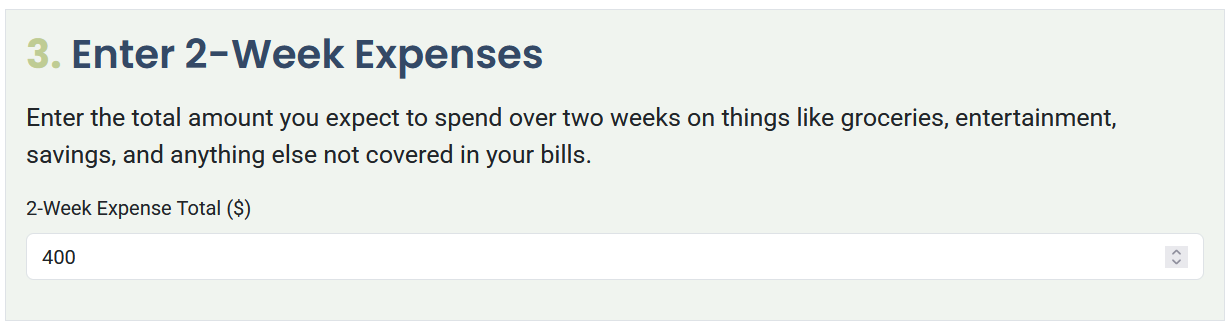
In Step 3, enter the amount you want available for two week spending, which can include groceries, fuel, fun money or other flexible spending. This amount is added to each pay period so your day to day expenses are included in the plan.
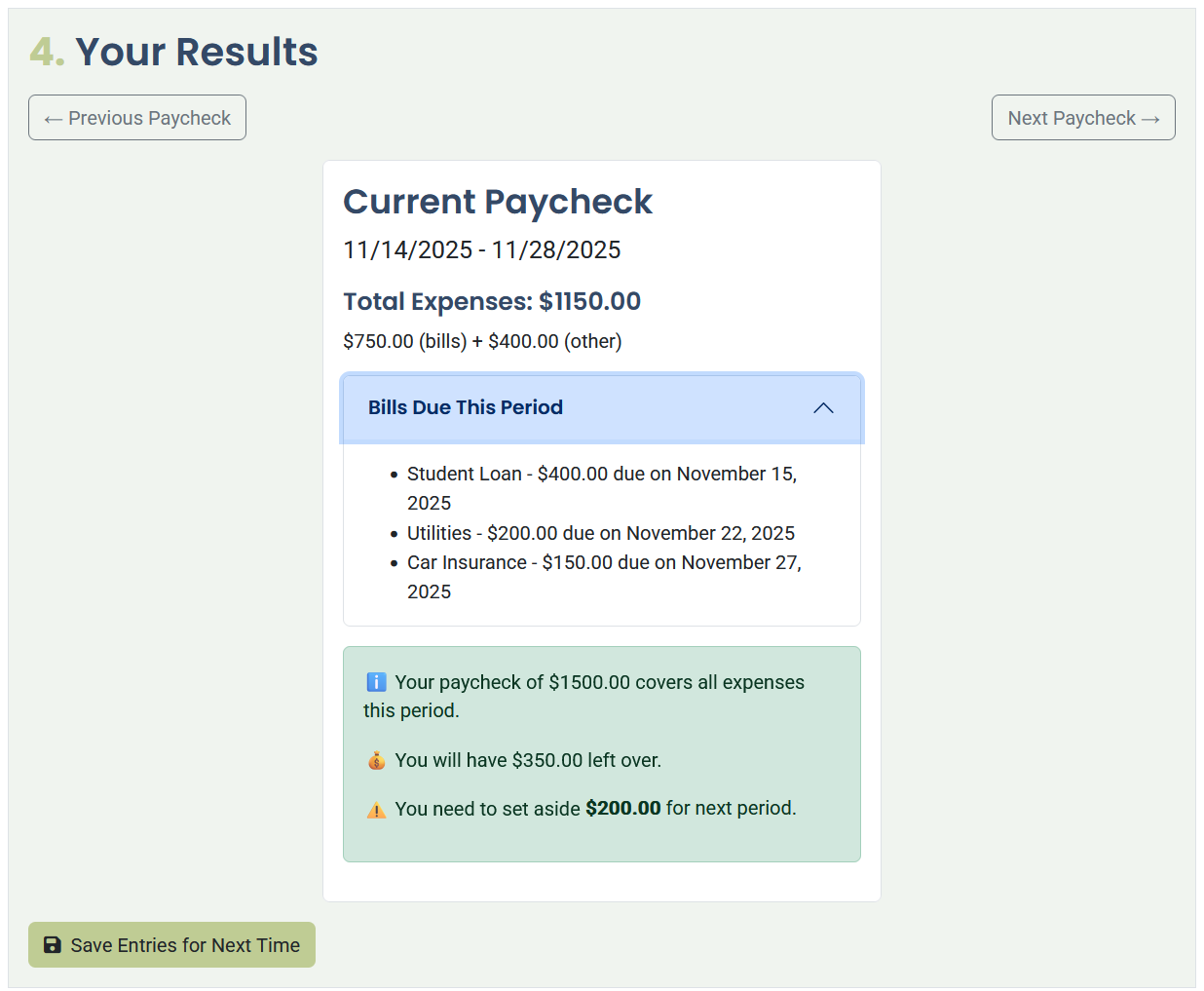
Once everything is entered, the planner shows which bills fall into the first pay period. In this example, the paycheck amount is $1500 and the total expenses for the period come to $1150. This leaves $350. The tool highlights that $200 should be set aside for the next paycheck because upcoming bills will exceed the normal income for that period. After setting aside this amount, you have $150 of true leftover money that can go toward savings or other goals.
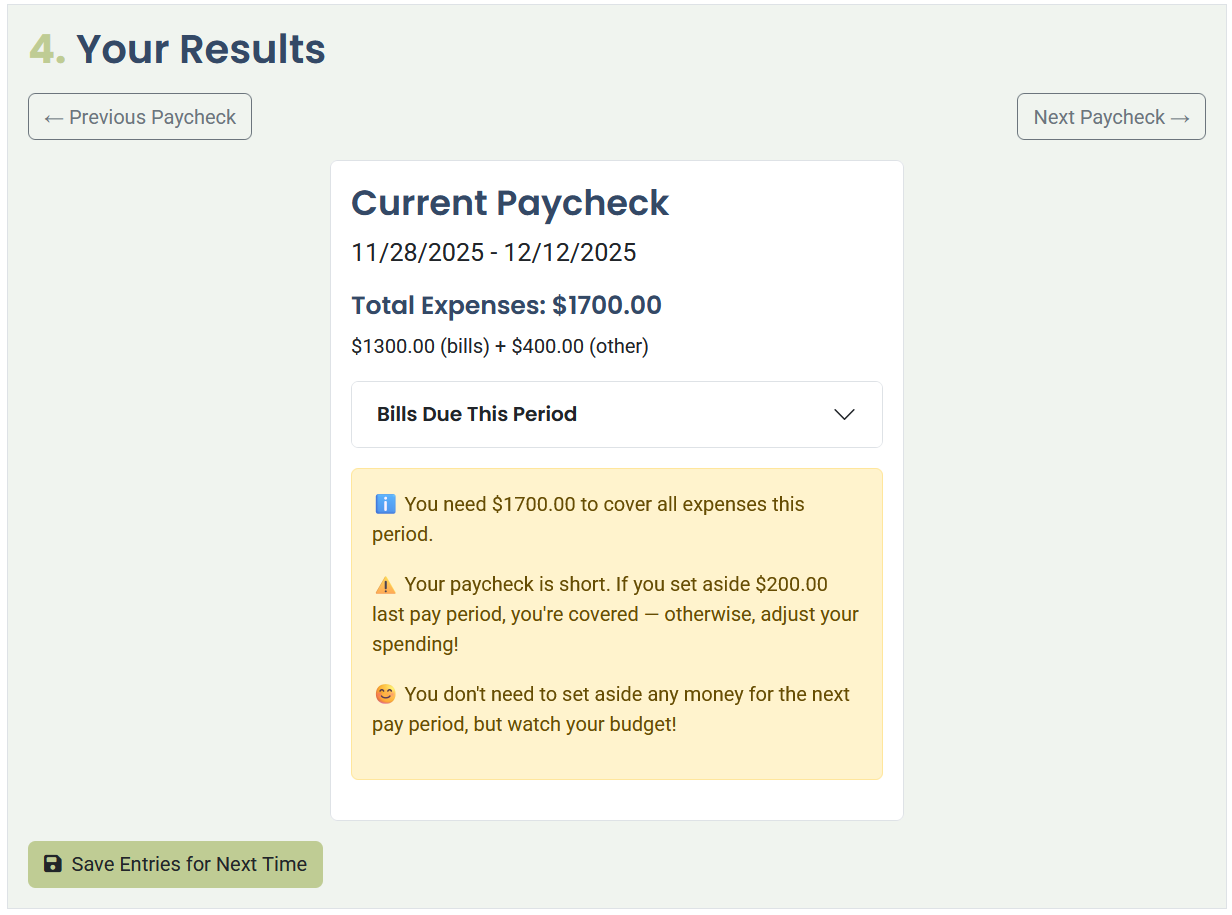
By clicking the Next Paycheck button, you can see the following pay period. The total bills and two week expenses in the next cycle add up to $1700. Because this is $200 more than the paycheck amount, the money set aside from the previous period fills the gap. This example shows why planning bills by paycheck is so important when you budget biweekly paychecks.
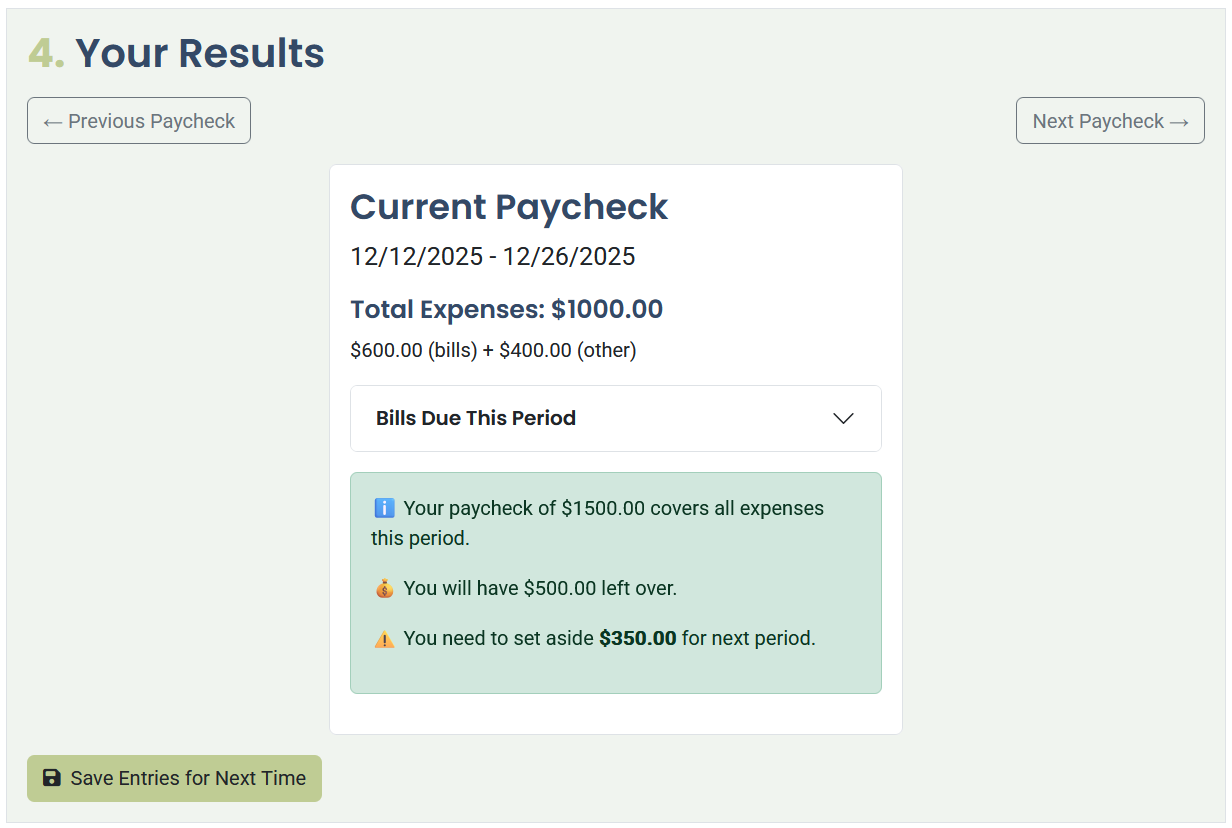
Moving ahead one more cycle, the total expenses now shift to $1000. Paydays move across the calendar, so some periods have fewer bills than others. With only $1000 in expenses, there is $500 remaining. Of this amount, the planner recommends setting aside $350 to prepare for the next pay period. The remaining $150 is available as extra leftover money.
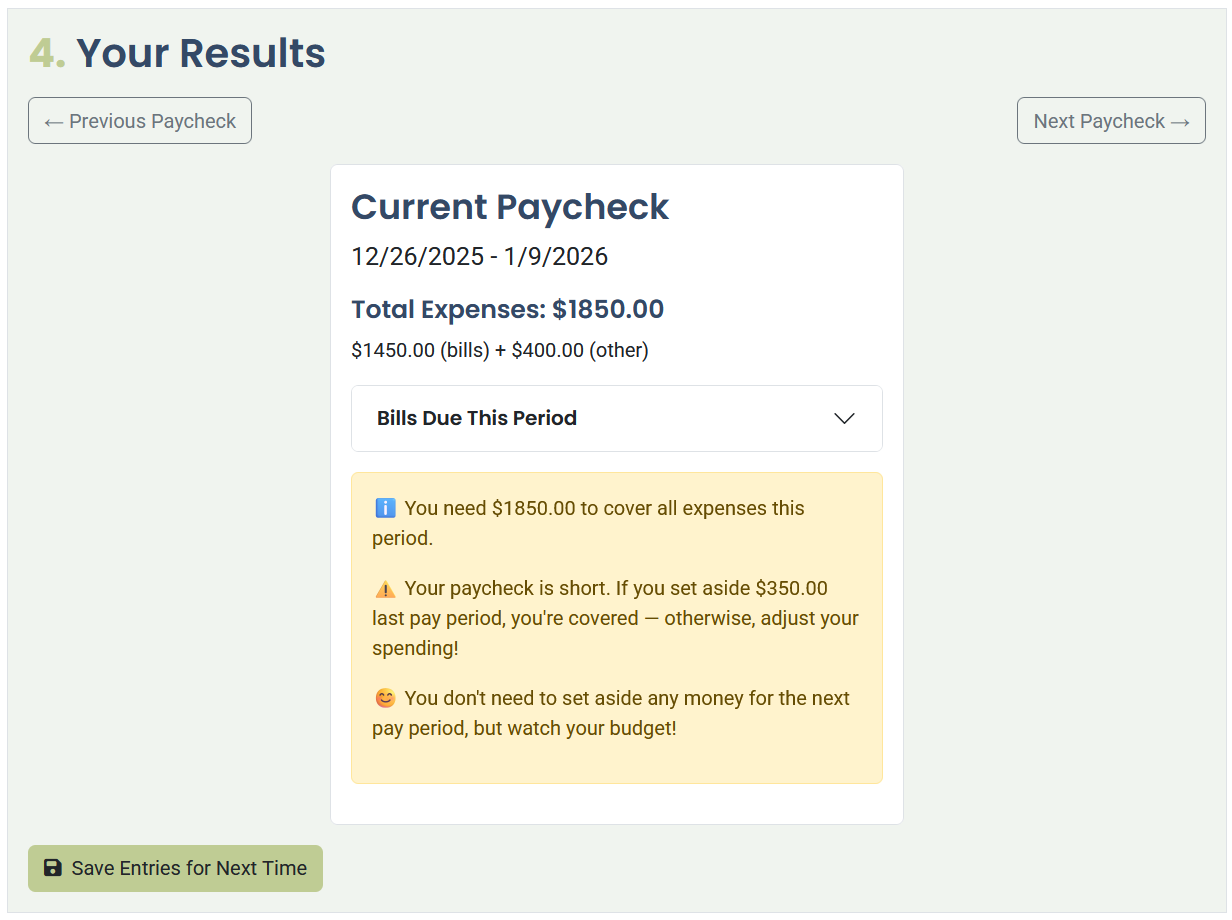
Skipping ahead once more, this next pay period contains more expenses than usual. The bills and two week spending total $1850. Because you set aside money earlier, you can cover this amount without falling behind. This example shows how biweekly paycheck budgeting works best when you plan ahead and use set aside money to support higher expense periods.
Biweekly Savings
If you want to save money from every paycheck instead of every other one, you can add your savings amount directly into your two week spending category. This allows you to contribute a consistent savings amount while still using a biweekly paycheck budgeting method.
Write To Me
If you have suggestions for new features, questions about budgeting when paid every two weeks or ideas for additional use cases, you can contact me at any time. I always appreciate feedback from real users who want to make biweekly budgeting easier for themselves and others.
Try the Biweekly Paycheck Bill Planner
Like this website? Share it with friends!
If you find this website helpful, feel free to share it with others!